Two stickers, two jobs. One goes on the dash so anyone who boards the boat can follow its operating steps. One goes in the engine room so a mechanic can see what has been done and what is due. Both boat QR codes open a web page with no app or login, and both use the same equipment registry behind the boat maintenance log. Here is how the two sides fit together, including how maintenance is tracked by running hours and calendar months.
The dash code: the boat's operating guide, not its full record
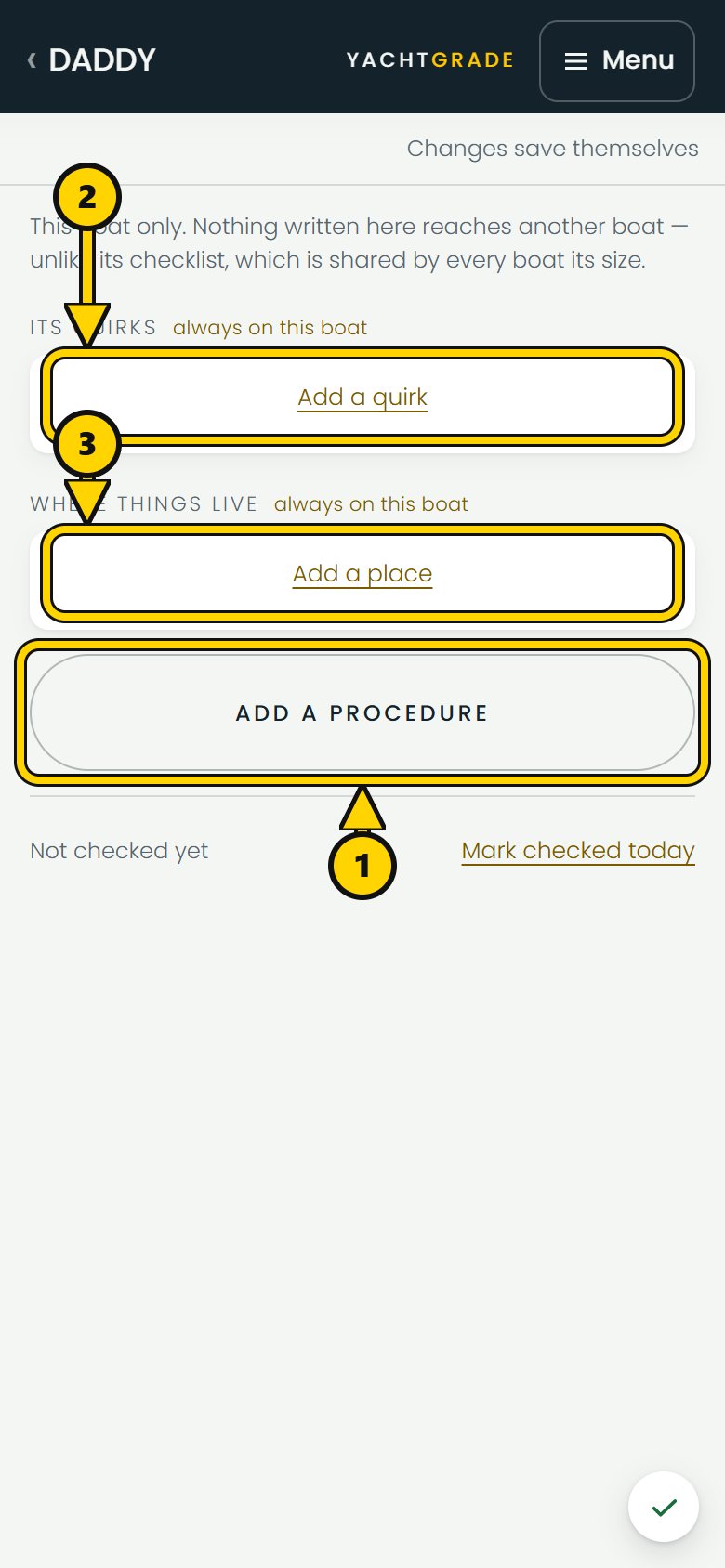
A dash code opens a page built for someone standing at the helm, one-handed, possibly with wet hands. It shows the boat's startup and shutdown procedures as tickable steps, its quirks, where equipment is aboard, and its manuals. A quirk might say the boat backs to port, the starboard engine needs a moment, or not to run the generator and air conditioning together on shore power.
We built it that way on purpose. The dash view is limited to the operating information meant for someone aboard the boat. A sticker isn't a link you hand to one person. It gets scanned by dockhands, a delivery crew, a buyer walking through during a showing, anyone who comes aboard. If a buyer scanned it mid-viewing and read every open issue on the boat, the owner's negotiating position would be gone. So the dash view is capped, in code, to its Boat Brief and its manuals. No condition, no findings, no health score, no service history, no cost, no owner contact details, no berth. That cap holds regardless of what any other setting on the code says, so there's no toggle that can accidentally turn it into something it isn't.
A departure sequence gets interrupted constantly: someone's phone locks, a line needs handling, a call comes in. So the ticks you make on a dash code stay put on your phone if you have to step away, and they clear themselves again after a few hours. That way a locked screen mid-sequence doesn't cost you your place, but next week's boarding starts with a clean list rather than last week's ticks, which would be the dangerous kind of mistake: a step that looks done and isn't. None of that is sent anywhere. It's one person's place in a list on one phone, not a record kept about the boat.
The engine room code: equipment, service history and what is due
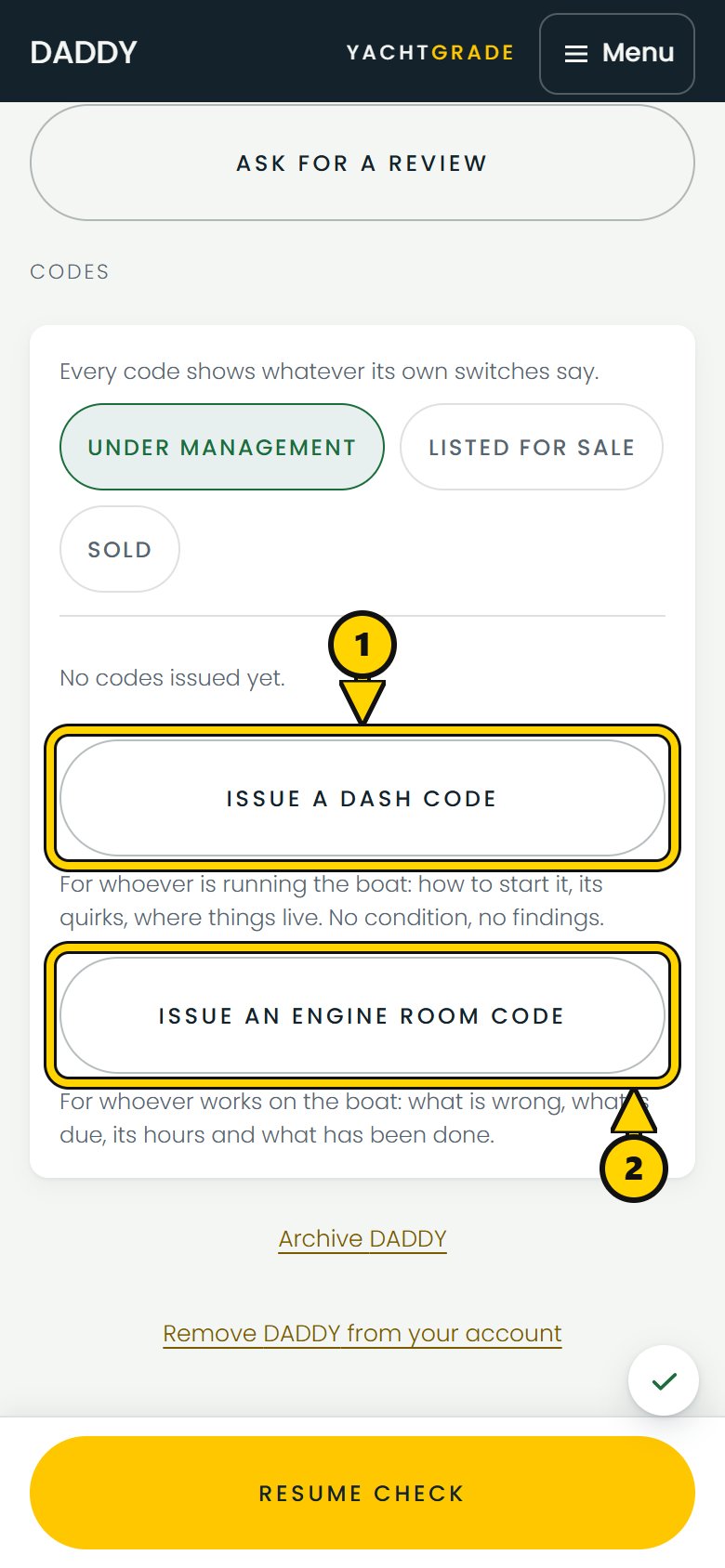
A second code in the engine room shows the equipment aboard the boat, what is due, and its service history. It uses a separate code from the dash guide, so revoking one does not revoke the other.
This is where the maintenance side lives, and it starts with a registry, not a spreadsheet.
Why every piece of equipment gets its own clock
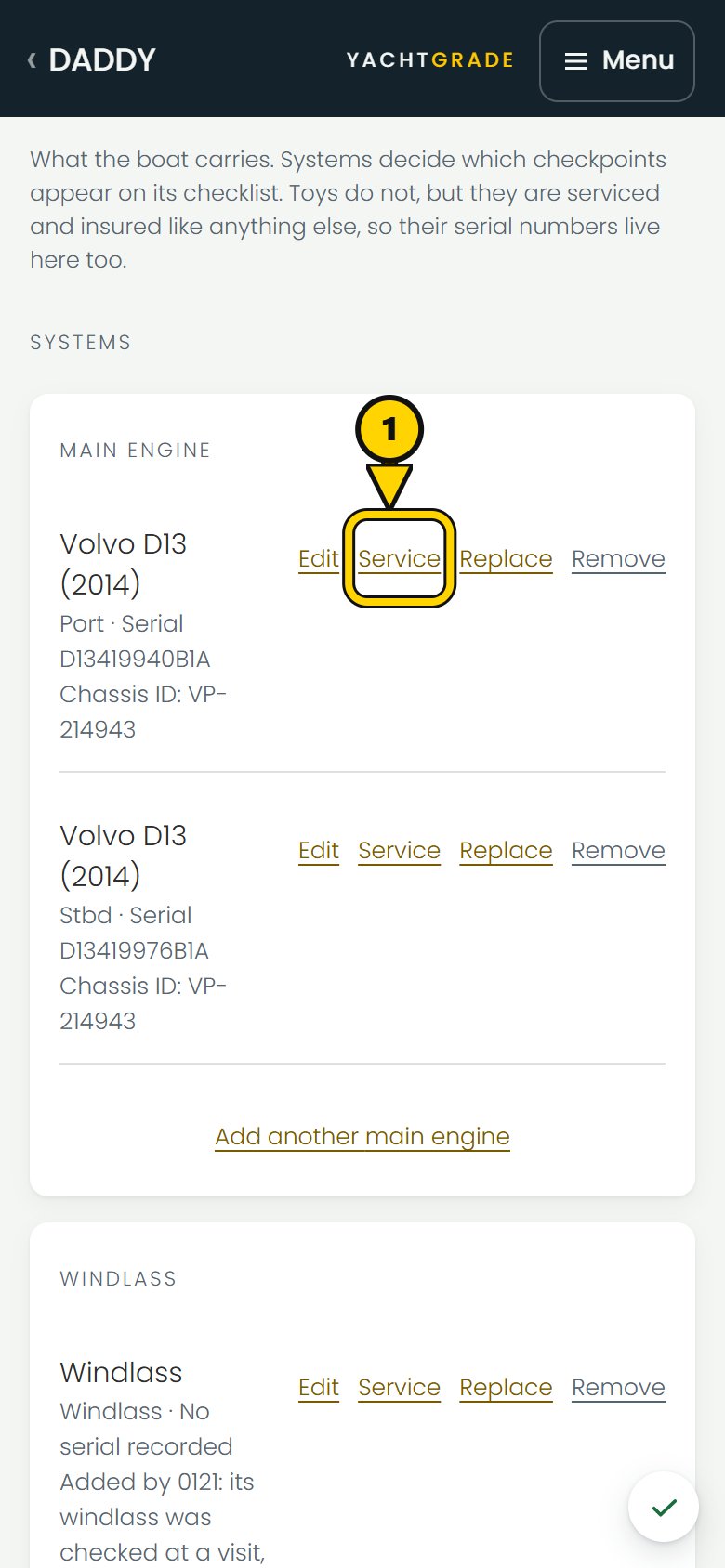
YachtGrade does not track “engine maintenance” as one line. Twin mains can run different hours over a season, and a generator or gyro stabilizer has its own duty cycle. Each physical unit gets its own hour meter and maintenance schedule, along with its make, model, serial number and position. Service tasks belong to the equipment model, so once that model's intervals are set, each unit can use them without rebuilding the maintenance list boat by boat.
Hours or months, whichever comes first
How do you track boat maintenance by engine hours versus calendar months?
The honest answer is you don't pick one. A manufacturer's interval is usually both: every 100 hours or once a year, whichever comes first, because a boat under management often sits more than it runs. If you only tracked hours, a boat that barely left the slip all winter would never come due for anything, even though a water pump doesn't care whether the hours it aged over were spent running or sitting. If you tracked only calendar time, a boat run hard for a month could pass an hours interval while the calendar interval still had time left.
So every task carries both figures where the manual gives them, and whichever clock gets there first is what's due. When there isn't enough history to say anything, the answer is "not recorded" instead of a guessed date. A schedule that invents a due date from no history reads exactly like one that actually knows, and that's a trust problem, not a convenience.
How YachtGrade estimates running hours
An hours estimate needs more than one reading. One reading does not give YachtGrade a usage rate. Two readings at least two weeks apart provide an hours-per-day rate for that boat. That rate can turn "due at 600 hours" into an estimate such as "due in about four months." With only one reading, or readings too close together, the schedule waits instead of estimating a usage rate from too little history.
Log service against the equipment and task
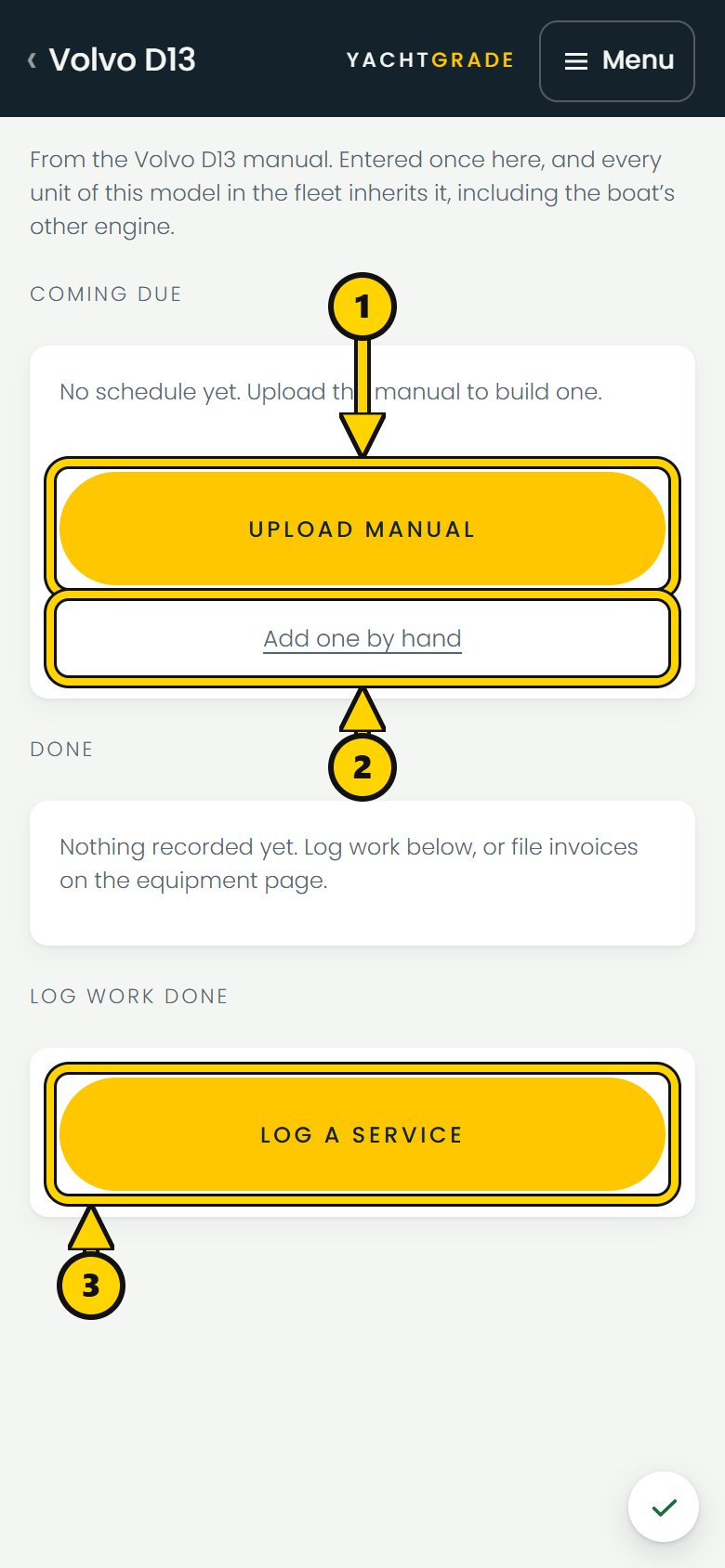
A service counts against a schedule when it is logged against that specific task. An invoice is evidence of work, but it does not decide which maintenance interval was completed. Work done by an outside vendor can be logged with the date, running hours, who did the work, the cost and the details, just like work done by your own technicians. Completing the service resets the hour and calendar clocks from the recorded service, not from when someone opened the app.
Read maintenance intervals from the manual instead of retyping them
You can upload a manufacturer's manual and YachtGrade can propose maintenance intervals from it, including the hours, months and source page. It does not add those intervals to the confirmed schedule on its own. A person reviews and confirms the proposal first.
What is due next
Every task on the boat's schedule sorts into overdue, due soon, due later, or not enough history to say. The last state means YachtGrade does not guess when there is not enough history. That gives a captain or yard a clear view of what needs attention next.
How the two sides connect
The dash code and engine room code point to the same boat and equipment registry, but they show different information. A delivery captain can scan the dash code for startup steps. A mechanic can scan the engine room code for what is due and what has already been done. Each view shows the information needed for that job.
Common questions
How do you track boat maintenance by engine hours vs months?
Track both when the manufacturer gives an hours interval and a calendar interval, and treat whichever comes first as due. A generator can reach its calendar interval while sitting, and heavily used equipment can reach its hours interval first.
What does a boat QR code on the dash show?
An operating guide only: the boat's startup and shutdown steps, its quirks, where equipment is aboard, and its manuals. Because the code may be scanned by different people aboard, it does not show condition, findings, service history or the Condition score.
Do I need to know a boat's exact running hours to schedule maintenance?
No. Calendar intervals can still produce due dates without running-hour history. For hours-based estimates, YachtGrade needs two readings at least two weeks apart to establish a usage rate.
Can I pull maintenance intervals straight from the manufacturer's manual?
Yes. Upload the manual and YachtGrade can propose service intervals with the source page attached. A person must confirm them before they become part of the boat's maintenance schedule.
Both codes and the registry behind them come with the inspection checklist, on the same boat record as its reports. See the QR code page for what a code looks like on the water, and the maintenance page for the schedule itself.
More how-to guides
YachtGrade was designed by a USCG 100-ton captain who spent five years managing, detailing, running and selling boats in South Florida, after four years building IT systems for businesses. Who built it →