Every user is included in the price. There is no per-seat charge. Your monthly price is based on how many boats you have, not how many technicians, contractors or office staff use YachtGrade. What changes by person is what they are allowed to do.
Five roles and what each role allows
Every person on the account has one of five roles: owner, admin, tech, contractor or viewer. The role sets the first limit on what that person can do, and a permission switch cannot override it. A contractor or viewer cannot add or edit boats. If someone in a role that cannot add boats tries to open a new boat's setup screen, they see: “Ask an admin to add the boat.”
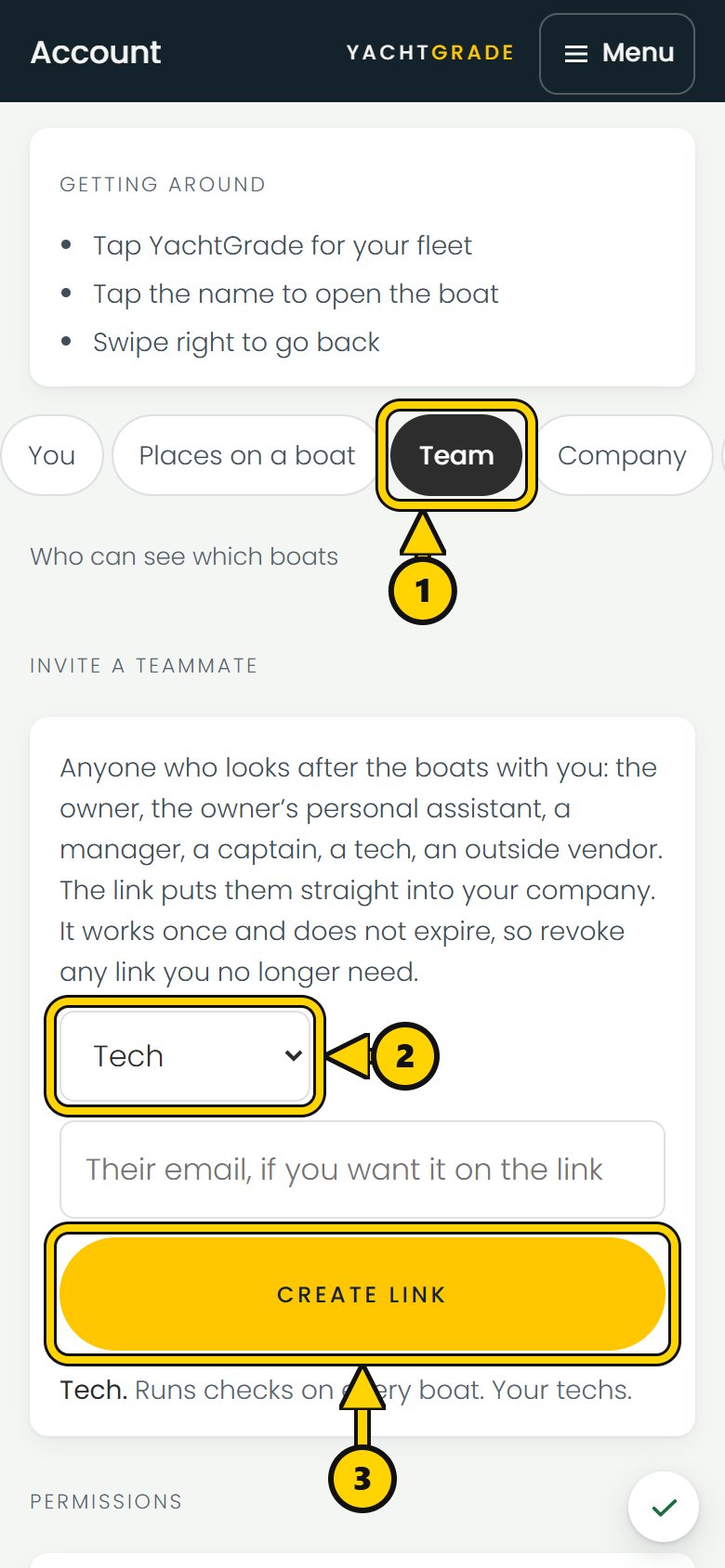
Then set the permissions for each person
Under the role are individual technician permissions, one switch per capability. These include adding boats, removing boats, deleting photos from the library, editing a finished check, sending a report to a client, editing checklist templates, and editing a boat's own checklist. Each switch is on or off for that person.
You can also use presets to set a group of permissions in one action.
- Runs checks. Works boats and sends reports. Changes nothing else. This is the tech who should do the job and nothing structural around it: no adding boats, no deleting photos, no editing the checklist itself.
- Onboards boats. For bringing a fleet aboard: adds boats, sets up each one's checklist. Adding a boat raises the bill, so this preset is for someone you trust to make that call.
A third preset, Everything, gives someone every permission except billing. Applying a preset sets every permission it covers in one action.
Why some permissions do not appear for every role
Not every permission appears for every role. For example, “add boats” does not apply to a contractor or viewer because those roles cannot add boats. YachtGrade shows only the permission switches that can change what that person's role allows them to do.
Limit a contractor to assigned boats
A contractor cannot add boats to the account. You can also limit them to the boats they are assigned to work on. That lets you bring in a detailer, specialist or one-off vendor without giving them access to every boat you manage or to team access settings.
What adding a boat costs
On a paid plan, $59 a month covers the first four boats. Boats 5 to 25 are $15 each, 26 to 50 are $12 each, and 51 and up are $10 each (see pricing). Before a boat is added, YachtGrade shows what the new monthly total will be. If a prorated amount is due for the current month, it also shows that amount and when it will appear on the invoice. Someone without permission to add boats sees that adding a boat can raise the monthly bill and can ask the account owner to approve it.
Every person is already in the price
Adding users does not change what you pay. YachtGrade is priced per boat, with every user included, so a five-person team and a one-person company with the same number of boats pay the same monthly price. Inviting a tech, contractor or another admin costs nothing extra.
Common questions
How do I add a technician and set their permissions?
Invite them, then apply the Runs checks preset or set their permissions one by one. You can control whether that person can add boats, remove boats, delete photos, edit a finished check, send reports to clients, edit a boat's checklist or edit checklist templates.
Does adding a technician to my account cost extra?
No. Pricing is per boat, with every user included. Adding a technician, contractor, admin or office user does not add a seat charge. If adding another boat changes the monthly price, YachtGrade shows the new total before you confirm.
Can a contractor see every boat in my fleet?
No. A contractor sees only the boats they are assigned to. Their role also stops them from adding or removing boats.
Setting this up alongside a new fleet starts with building its checklist and putting a code on its dash. See pricing for the flat per-boat rate, and the guarantees for what we promise once you pay.
More how-to guides
YachtGrade was designed by a USCG 100-ton captain who spent five years managing, detailing, running and selling boats in South Florida, after four years building IT systems for businesses. Who built it →